

The first order
The first order is the only one that waits on Truemed. The customer signs up, picks meals, and places the order without delay. You hold that order unpaid until Truemed sends a valid payment token, then charge it. The customer never waits on a screen, and later orders reuse the token with no wait.
How the first order flows
Every call below belongs to one example customer, Jamie Rivera (your customer ID 84213), whose first
box has two eligible meals and a dessert that is not. Payloads are trimmed; the full versions are in
API calls. A dotted underline in the
progress bar marks a step that Truemed runs.
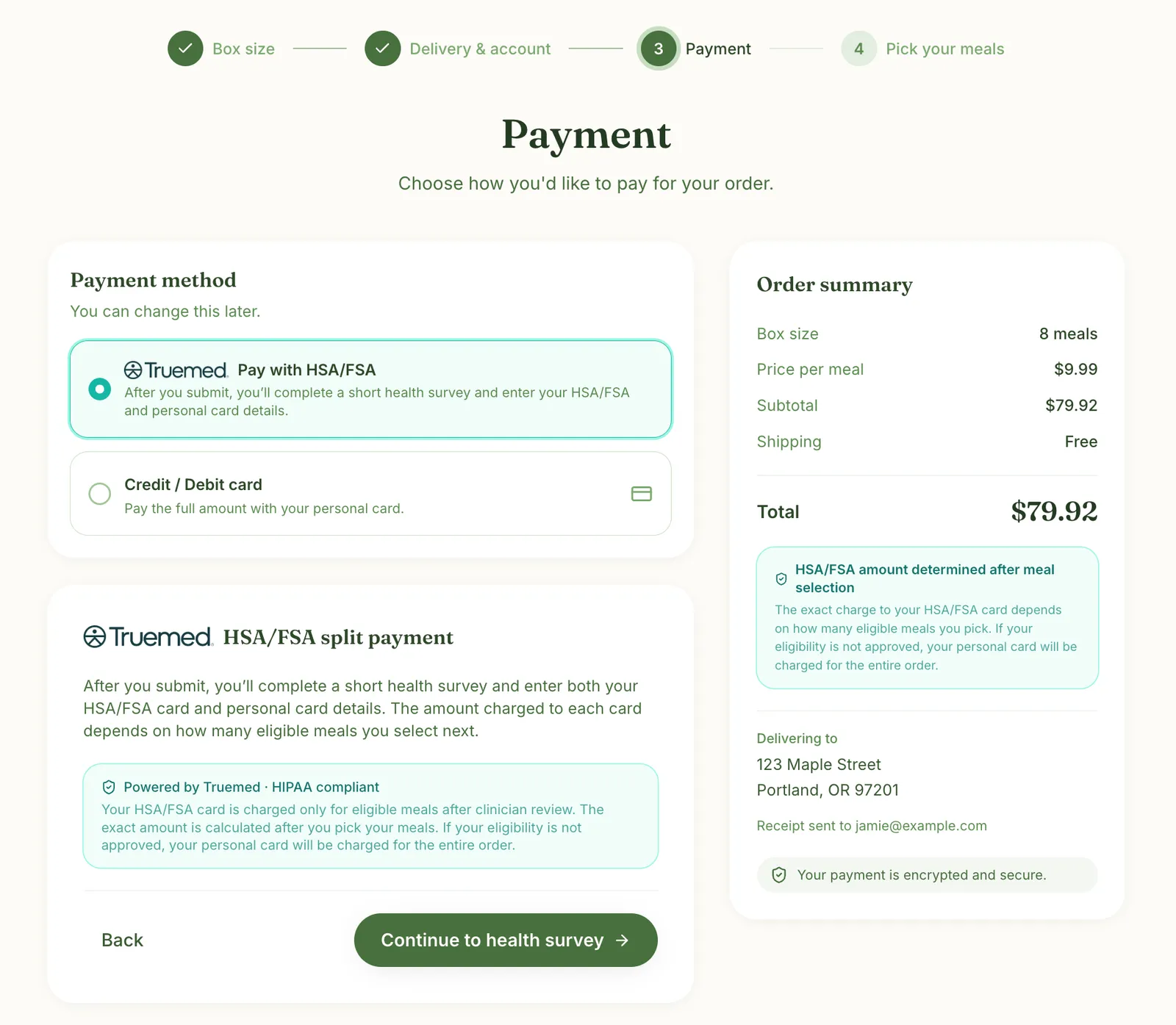
1. Jamie chooses to pay with HSA/FSA
Your page
What the customer sees
Jamie picks a plan, enters delivery details, and selects Pay with HSA/FSA at payment.
What you do
Call Create Payment Token, store the returned provision_token_request_id on Jamie’s record (it is how you match the decision back later), then open redirect_url in an iframe.
POST /api/v1/payment_tokens/create returns:
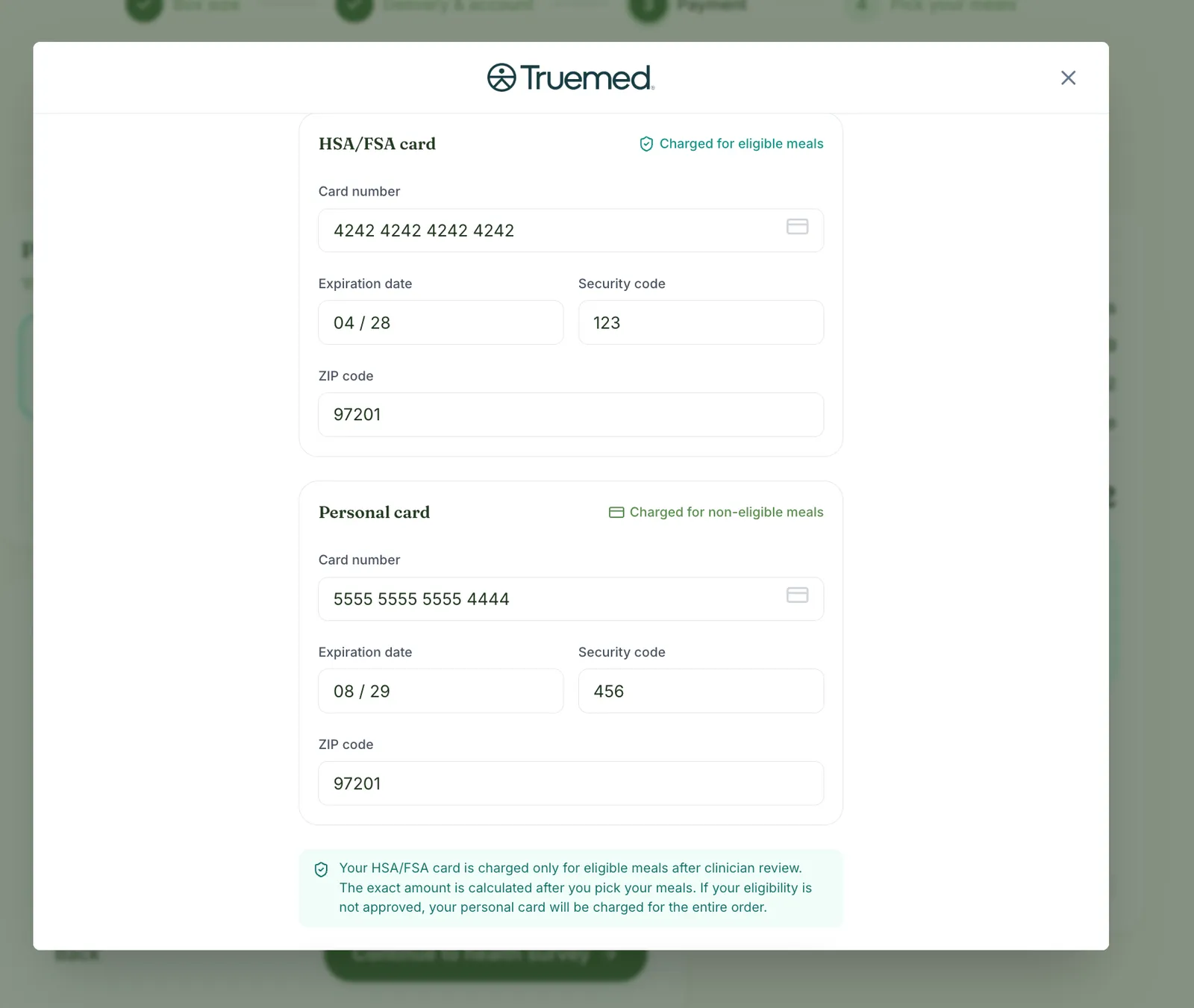
2. Jamie completes the survey and enters both cards
Truemed-hosted
What the customer sees
Truemed’s health survey, then a form for an HSA/FSA card and a personal card, all inside your iframe. Card data never reaches your servers.
What you do
Wait for the frame to report it is done, then close it and send Jamie to the menu.
The frame posts { success: true } to your page when Jamie finishes. See Embedded checkout.
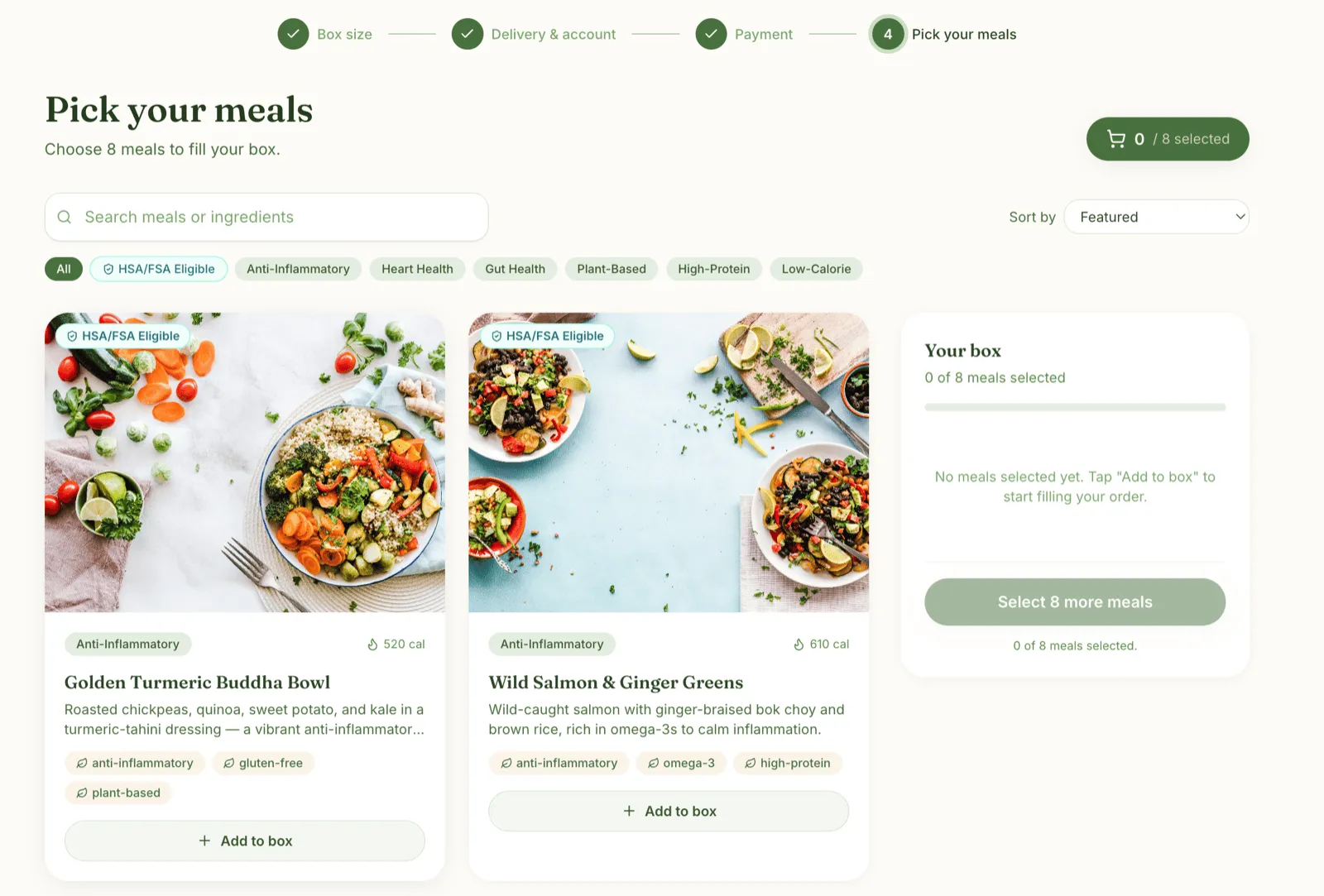
3. Jamie picks meals from a badged menu
Your page
What the customer sees
The menu, with HSA/FSA badges on the meals that fit Jamie’s survey answers.
What you do
Read eligibility by provision request and badge the returned items. The practitioner has not reviewed the case yet, so the status is pending.
GET /api/v1/eligibility/provision_request/{provision_token_request_id} returns:
items lists the meals Jamie is pre-qualified for, available right away. The final say comes later,
when a practitioner approves Jamie’s LMN.
4. Jamie places the order, and you hold it
Your order pipeline · no new customer screen
What you do: Accept the order without charging it. Mark it as waiting for the token and keep it in your fulfilment queue.
Jamie sees your order confirmation, ideally with an estimate of what goes on each card.
Your pipeline must be able to hold a placed, unpaid order. If it cannot, raise it with your Truemed contact before you build.
Showing the payment breakdown in the order summary
Confirmation is the natural place to show Jamie how the order will split. Build the estimate from two reads you already have:
- Which meals are eligible:
itemsfrom the eligibility read in step 3. - The comparable amount per meal:
comparable_item_price_centson each item from the catalog read. Cache it, and re-read the catalog at least monthly.
For each line, an eligible meal puts comparable_item_price_cents × quantity on the personal card and the
rest on HSA/FSA. A meal that is not in items goes entirely on the personal card. Jamie’s box, with an
illustrative comparable amount of $6.00:
Three things are specific to the first order:
- The estimate assumes approval. Eligibility is still
pendingwhen Jamie confirms. If the practitioner declines, the whole order goes on the personal card, so word the estimate as “if approved”. - Show it as an estimate, not a promise. Truemed settles the exact split when you charge in step 6. If the HSA/FSA balance is short, the charge fails unless auto-retry is on; see When HSA/FSA funds run out.
- Truemed sends the final numbers. Jamie’s itemized receipt in step 6 shows what went to each card.
5. A practitioner reviews the case
Truemed review · no new customer screen
What you do: Wait for payment_token.updated. It arrives whether the practitioner approves or declines, so it is always your signal to charge.
Jamie has already left checkout. If the case is declined, Truemed emails Jamie directly.
Approved
Rejected
Store payment_token on Jamie’s record. Every later order charges against it.
6. You charge the held order
Your fulfilment worker · no new customer screen
What you do: Charge the held order against the token. Truemed classifies each line and splits the total across the two cards.
The box ships, and Jamie gets an itemized receipt showing what went to each card.
Send every line in cents, including the dessert; Truemed works out the split. Jamie’s next box starts here, skipping steps 1 to 5. See Subsequent orders.
What your integration needs
Before you build the first order, confirm you can:
- Store
provision_token_request_idon the customer record at signup. - Listen for the iframe completion message and close the frame.
- Badge the menu from the provision-request read.
- Hold a placed, unpaid first order in your fulfilment queue.
- Receive
payment_token.updatedon a subscribed webhook endpoint and store the token. - Charge the held order with Create Payment Session once the webhook lands, in either outcome.
- Recover a missed webhook. See API calls.