

Guide to using HSA/FSA for extension ads
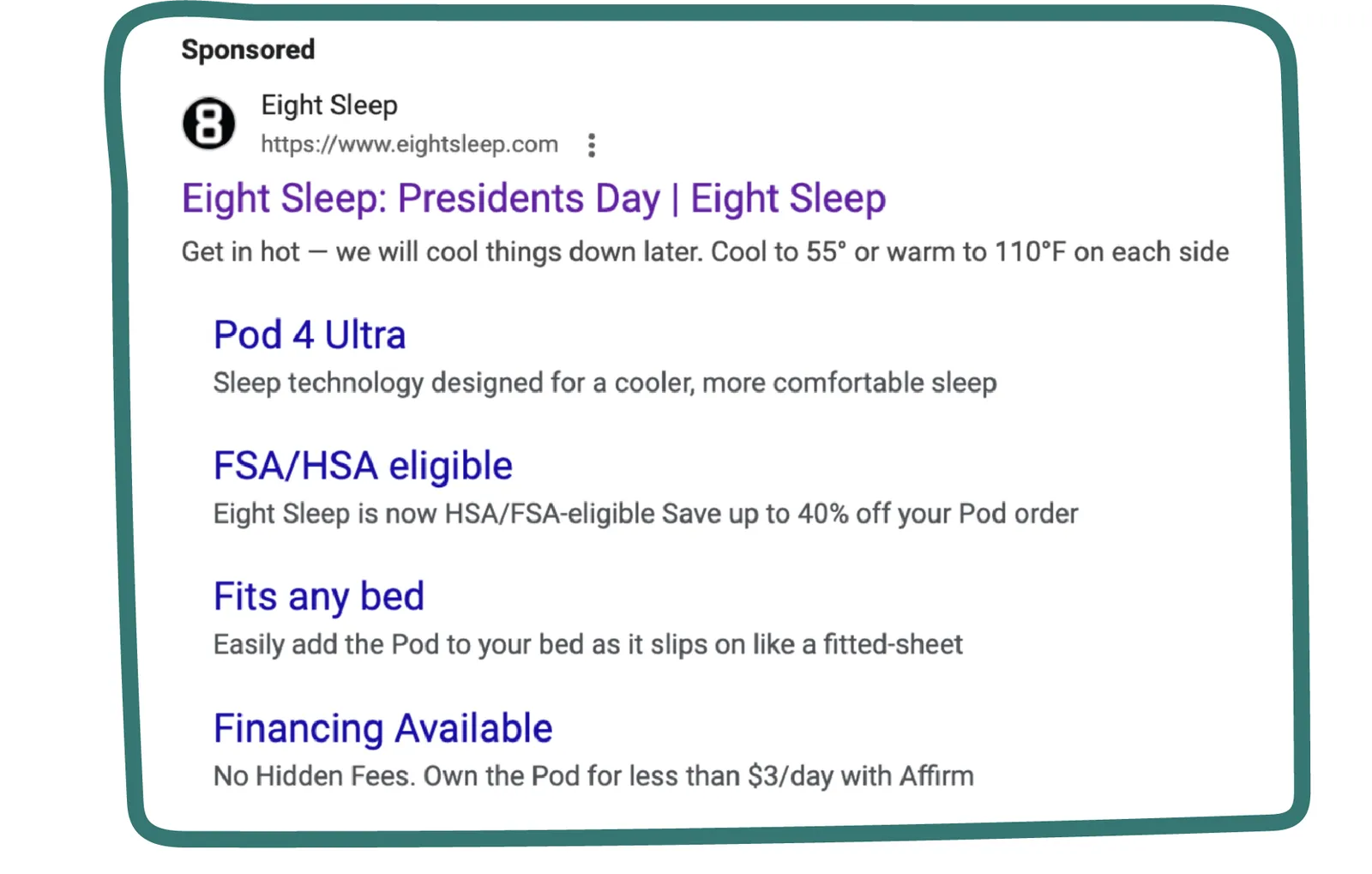
Why highlight HSA/FSA eligibility in extension ads?
Highlighting HSA/FSA eligibility in your extension ads can increase click-through rates, improve conversions, and help differentiate your brand in search results.
How to implement HSA/FSA in extension ads
-
Use Structured Snippet Extensions
- Add an HSA/FSA snippet to your Google Ads structured snippets extension to ensure that users immediately see potential savings when viewing the ad.
- Example: “HSA/FSA Eligible”
-
Callout Extensions
- Utilize callout extensions to reinforce the message.
- Example: “Your purchase may be HSA/FSA Eligible. Save an average of 30% if qualified.”
- This appears alongside your main ad copy, increasing visibility.
-
Sitelink Extensions for SEO Control
- Sitelinks allow for deeper engagement and can be controlled for SEO optimization.
- Ensure that one of the indented sitelinks directs users to a landing page dedicated to HSA/FSA eligibility.
-
Price Extensions
- Display specific products or categories that qualify for HSA/FSA payments.
- Example: “Eligible Supplements – Starting at $19.99 – Pay with HSA/FSA if Qualified”
Best practices
-
Ensure Accuracy: Double-check that all advertised products meet HSA/FSA eligibility requirements.
-
Dedicated Landing Page: Link sitelinks to a clear, informative page about HSA/FSA payments.
-
Consistent Messaging: Align ad copy with website content to reinforce the HSA/FSA value proposition.
By using HSA/FSA in extension ads, you can effectively leverage HSA/FSA eligibility to enhance your paid search performance and drive conversions.