

Orders and transactions
The Truemed Dashboard displays unified statuses for both Payments and Qualifications customers to help you track the progress of each transaction, and it lets you download reports to reconcile payments, refunds, and payouts.
Interpreting transaction status
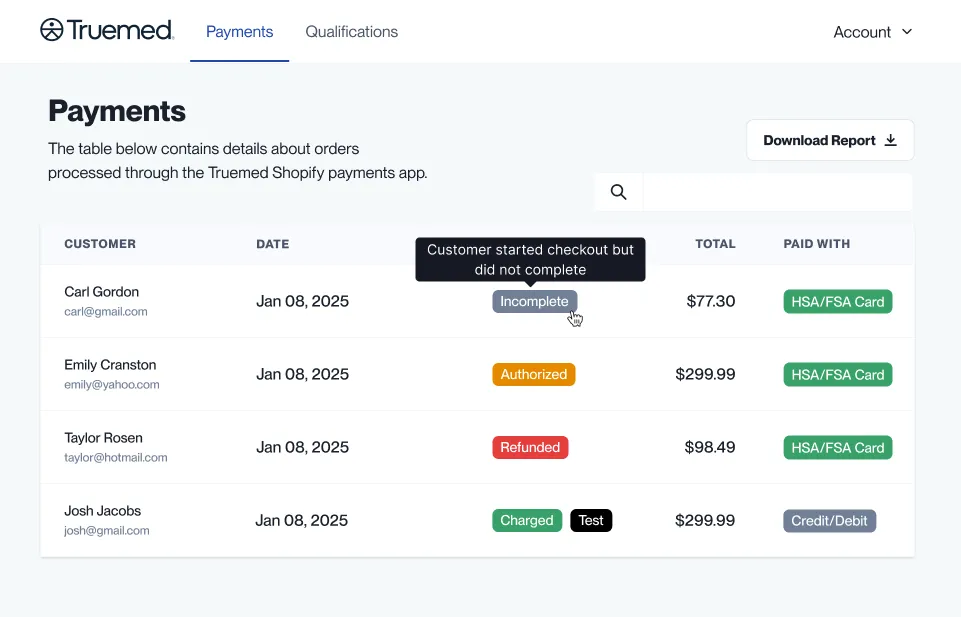
The dashboard shows simple, unified statuses across both the Payments and Qualifications tabs. Below is an explanation of each status and how they appear.
Dashboard payment status
- Incomplete: Customer started checkout but did not complete
- Authorized: Auth hold placed on customer’s payment method
- Captured: Payment has been processed
- Refunded: The full amount charged in this order has been refunded to customer
- Partially refunded: Part of the original order has been refunded to the customer
- Test: Test transaction, not included in report downloads
- Disputed: The financial institution has challenged this transaction
- Voided: This payment was voided
- Expired: The payment authorization was not captured in time
- Canceled: The order was canceled
How to use the dashboard
- Hover for definitions: Simply hover your cursor over any of these statuses in the dashboard to see a quick definition of what it means.
- Test transactions: Test transactions will display a “Test” status on the Payments dashboard but are excluded from downloadable reports. These transactions are used for testing purposes only and do not affect your reporting.
Viewing order details
The Truemed Dashboard allows you to download reports for tracking payments, refunds, and payouts. These reports help you reconcile transactions efficiently and provide a clear financial overview.
Report types
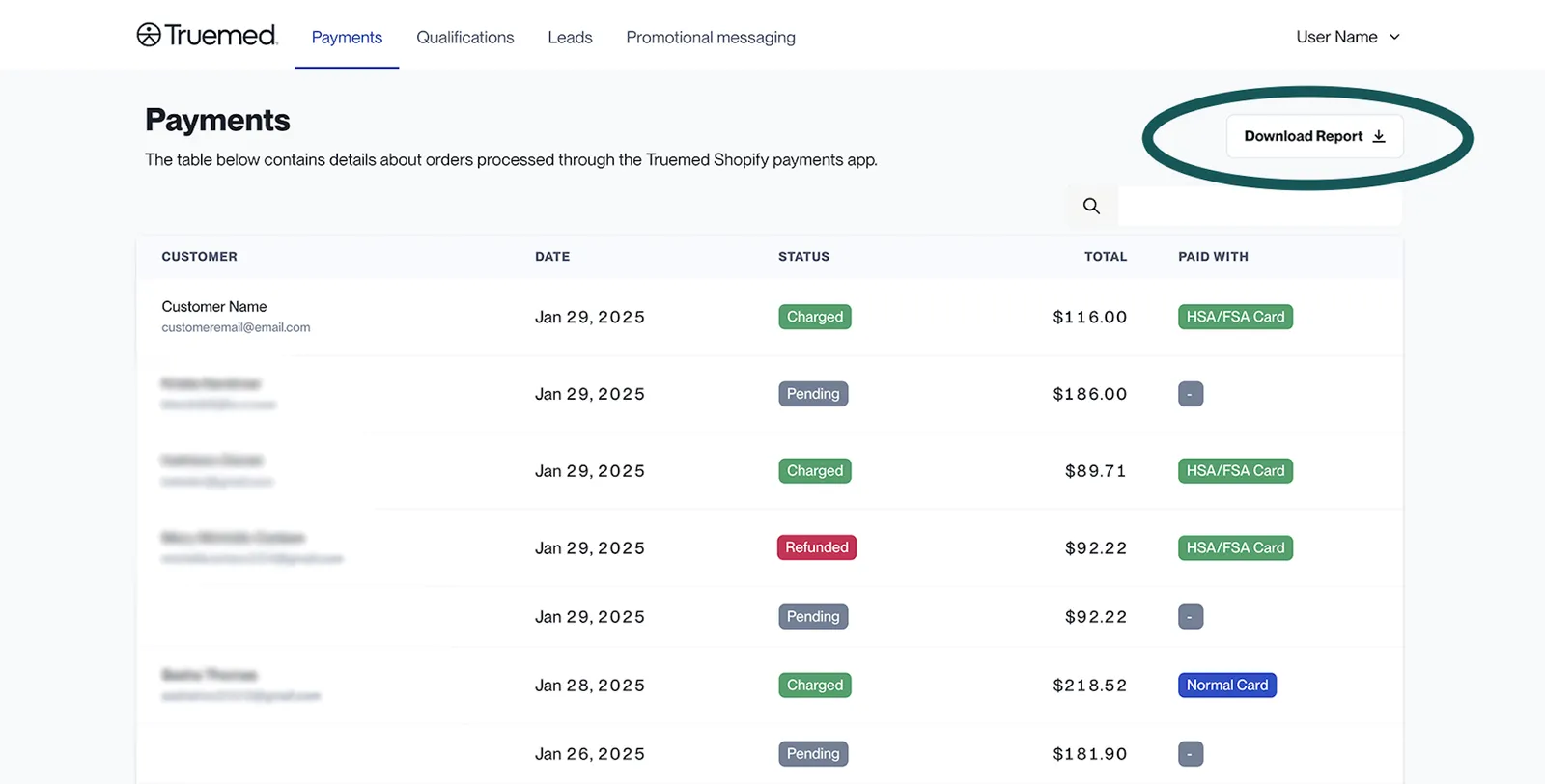
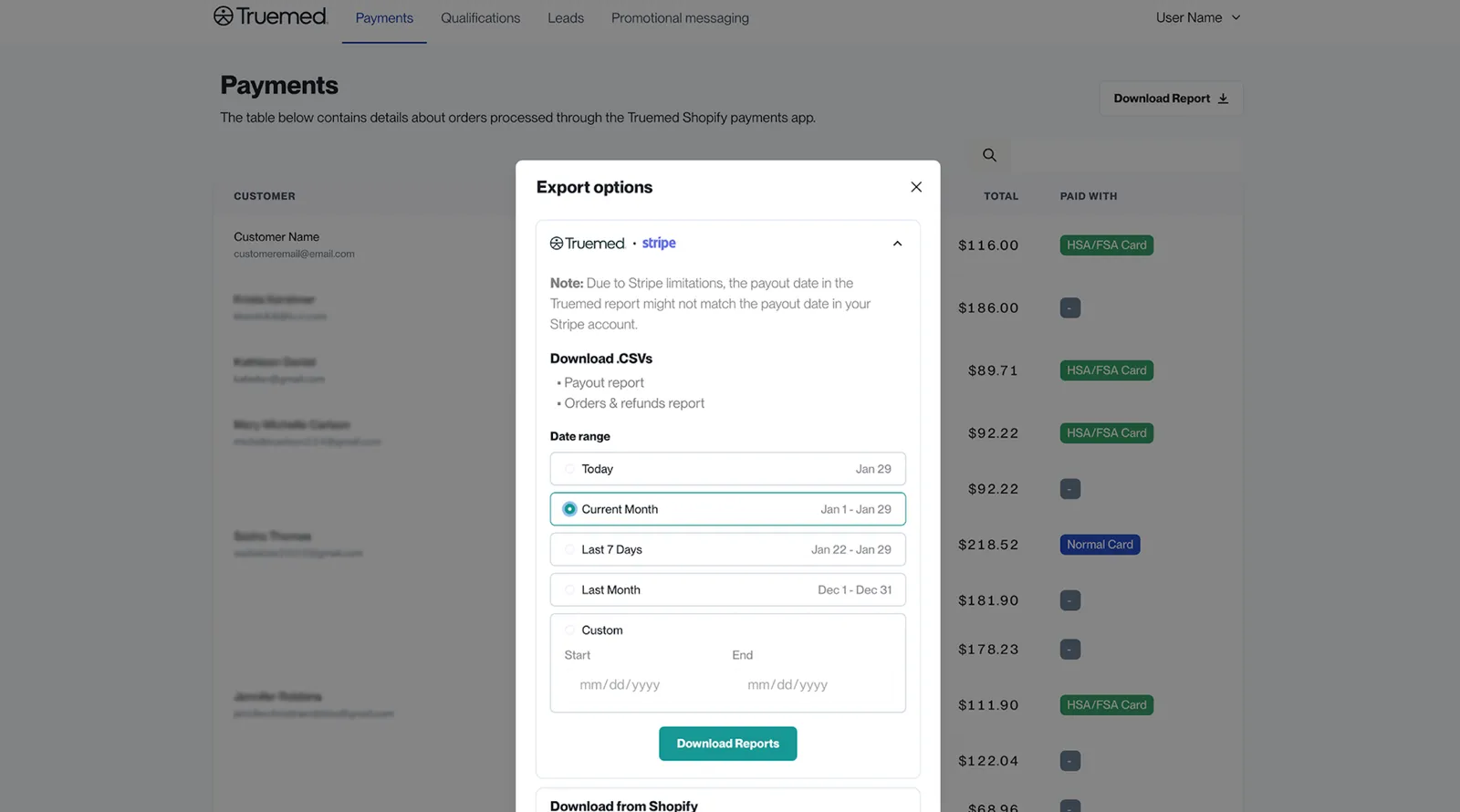
When you click “Download report” from the Payments Dashboard, Truemed generates and emails two separate .CSV files:
- Payouts Report (.CSV)
- Contains a summary with one row for each daily bank transfer.
- Payments + Refunds Report (.CSV)
- Provides a detailed breakdown of transactions, including:
- One row for each refund event
- One row for each purchase
- A “type” field for categorization
- Provides a detailed breakdown of transactions, including:
How to download reports
- Log in to your Truemed Dashboard.
- Navigate to the Payments Dashboard.
- Click Download report.
- You will receive an email with two .CSV file attachments:
- Payouts Report
- Payments + Refunds Report
Understanding report data
- Payouts Report: Summarizes daily bank transfers, helping track incoming funds.
- Payments + Refunds Report: Lists individual transactions, including purchases and refunds, allowing you to reconcile payments with associated payout IDs.
Need help?
If you have any questions about your reports or need further assistance, contact Truemed’s support team for guidance at merchants@truemed.com.