

Overview
Medically Tailored Meals (MTM) lets customers of a prepared-meal merchant pay for meals with HSA/FSA funds. The key idea: the customer qualifies first, then shops. Based on their answers to a health survey, Truemed returns the list of your meals that fit the customer’s dietary needs. The customer can order right away. An independent licensed practitioner reviews the case in the background, and you charge the first order once Truemed sends a valid payment token. Once approved, every order puts the eligible portion on their HSA/FSA card and the rest on a regular card.
The big picture
Qualification happens once. After that, the customer comes back to pick meals as often as your plan allows, typically weekly, without repeating the survey or re-entering cards.
Existing customers can opt in too. HSA/FSA is not only for new signups: a customer already on your plan can take the same survey and add their two cards at any point, then keep ordering as before. We recommend offering it to your current customers, for example from their account page or in your lifecycle emails.
Walk through it
Each step shows the customer’s screen next to what is happening between you and Truemed at that moment. The screenshots come from an example meal-kit merchant. Only steps 4 and 5 are Truemed pages; everything else is your own site. In the progress bar above each step, a dotted underline marks a Truemed-hosted step.
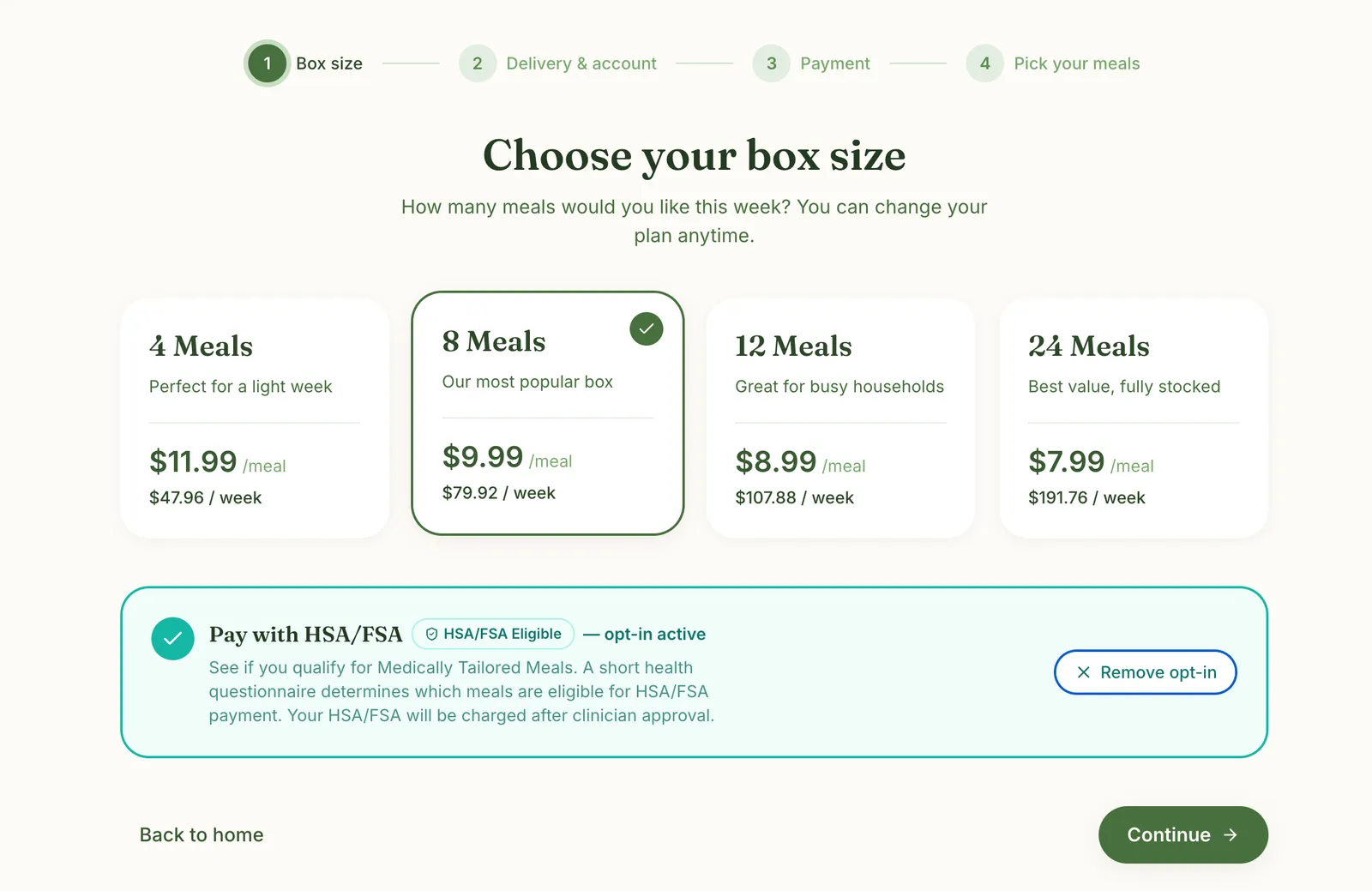
1. Opt into HSA/FSA before choosing meals
Your page
What the customer does
The customer opts into paying with HSA/FSA, before picking meals.
Behind the scenes
Nothing yet. You remember the opt-in so your payment step sends the customer to the Truemed survey. Truemed collects both cards inside the survey, not in your own payment form, so your payment and order confirmation steps should show Truemed as the payment method.
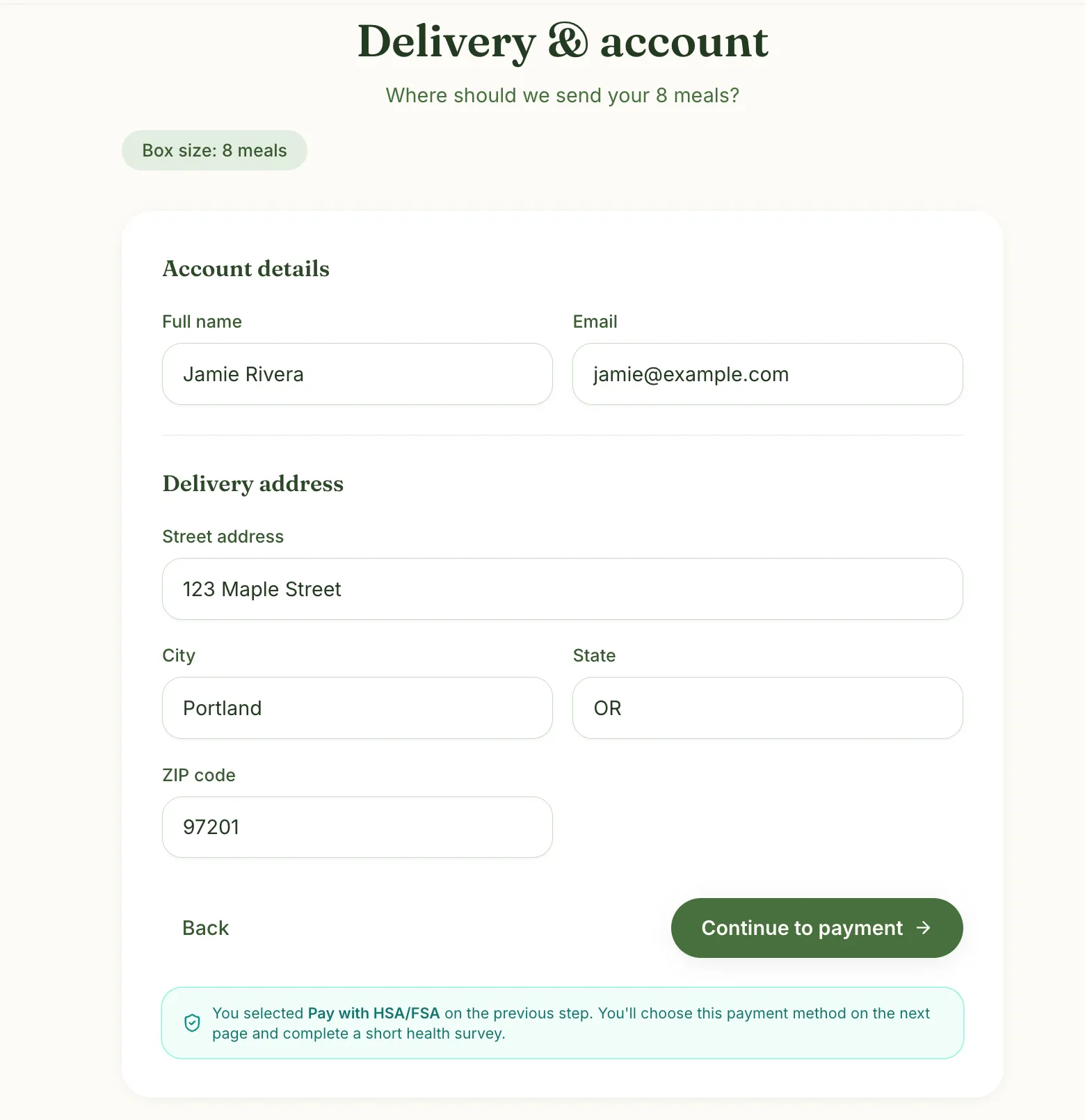
2. Enter delivery and account details
Your page
What the customer does
Your normal signup step. You can remind the customer that they enter their HSA/FSA card next.
Behind the scenes
Nothing changes. This is your existing signup.
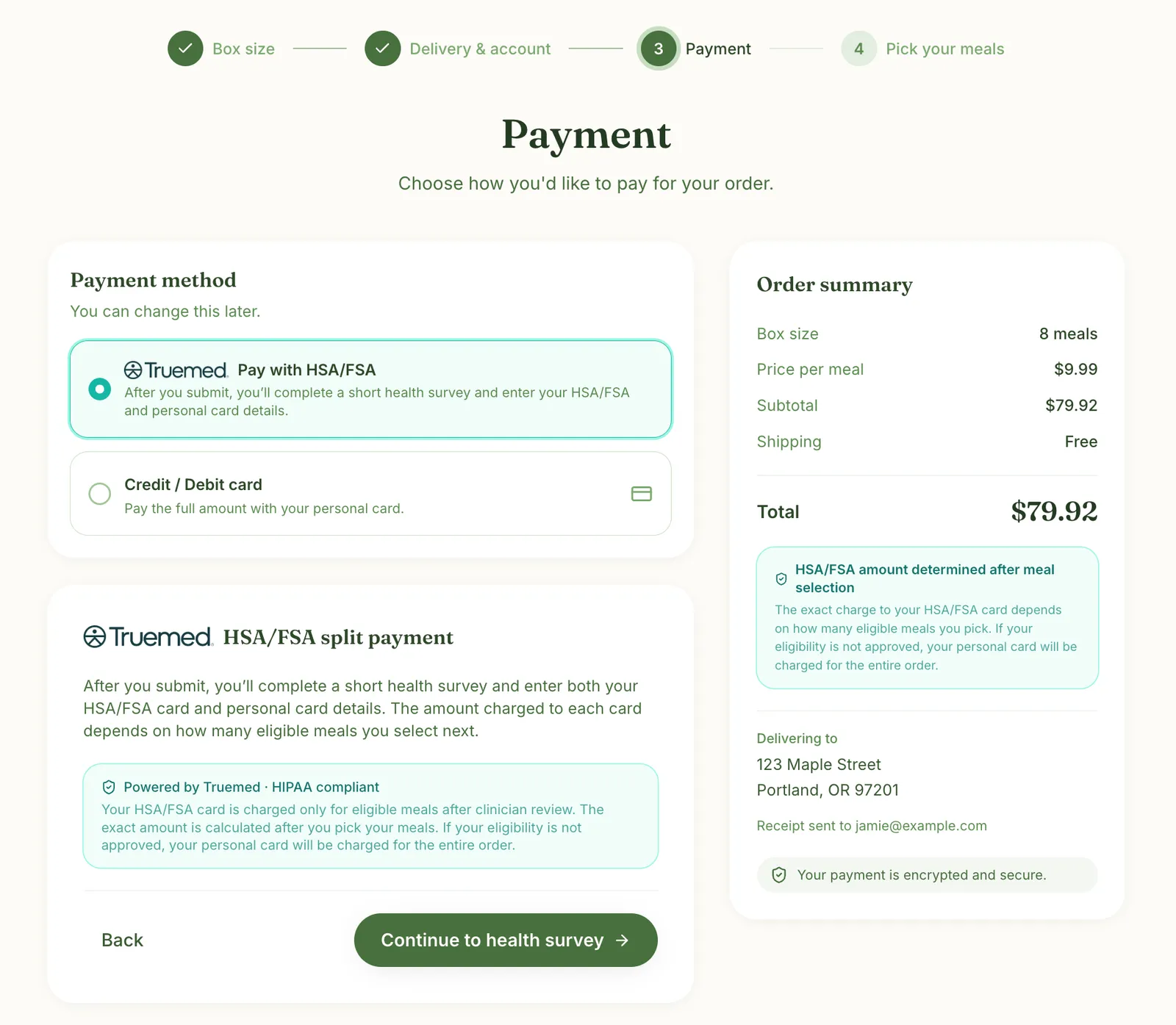
3. Choose to pay with HSA/FSA
Your page
What the customer does
The customer selects Pay with HSA/FSA and continues to the health survey.
Behind the scenes
You ask Truemed to start qualification for this customer. Truemed returns a link to the hosted survey, which you open on your page.
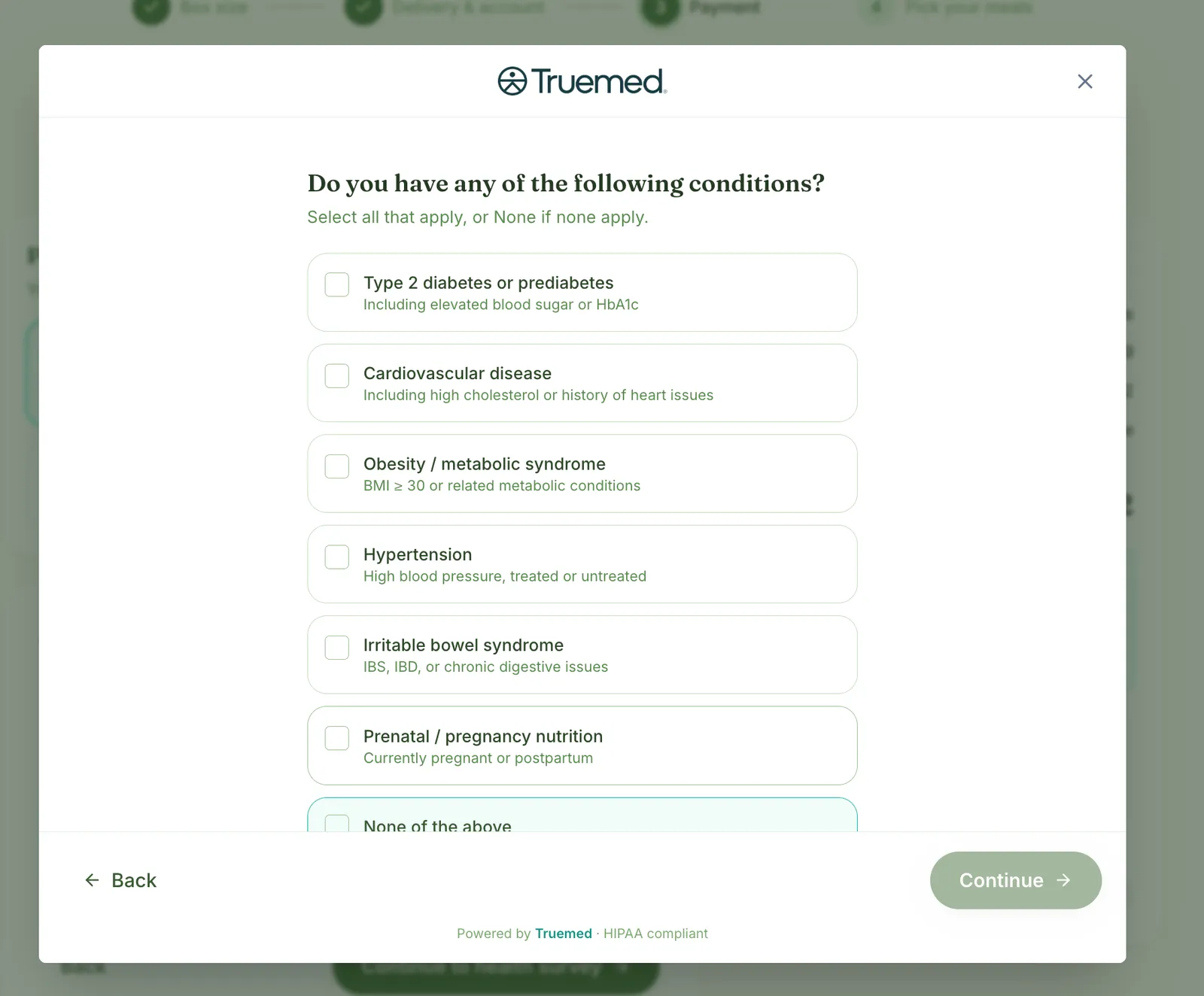
4. Complete the health survey
Truemed-hosted
What the customer does
A survey about the customer’s health, shown inside your page.
Behind the scenes
Truemed uses the answers to list the meals this customer might qualify for, pending a practitioner’s review. The list is ready right away. The review runs in the background and usually finishes within a few hours; until then, nothing is approved.
5. Enter both cards
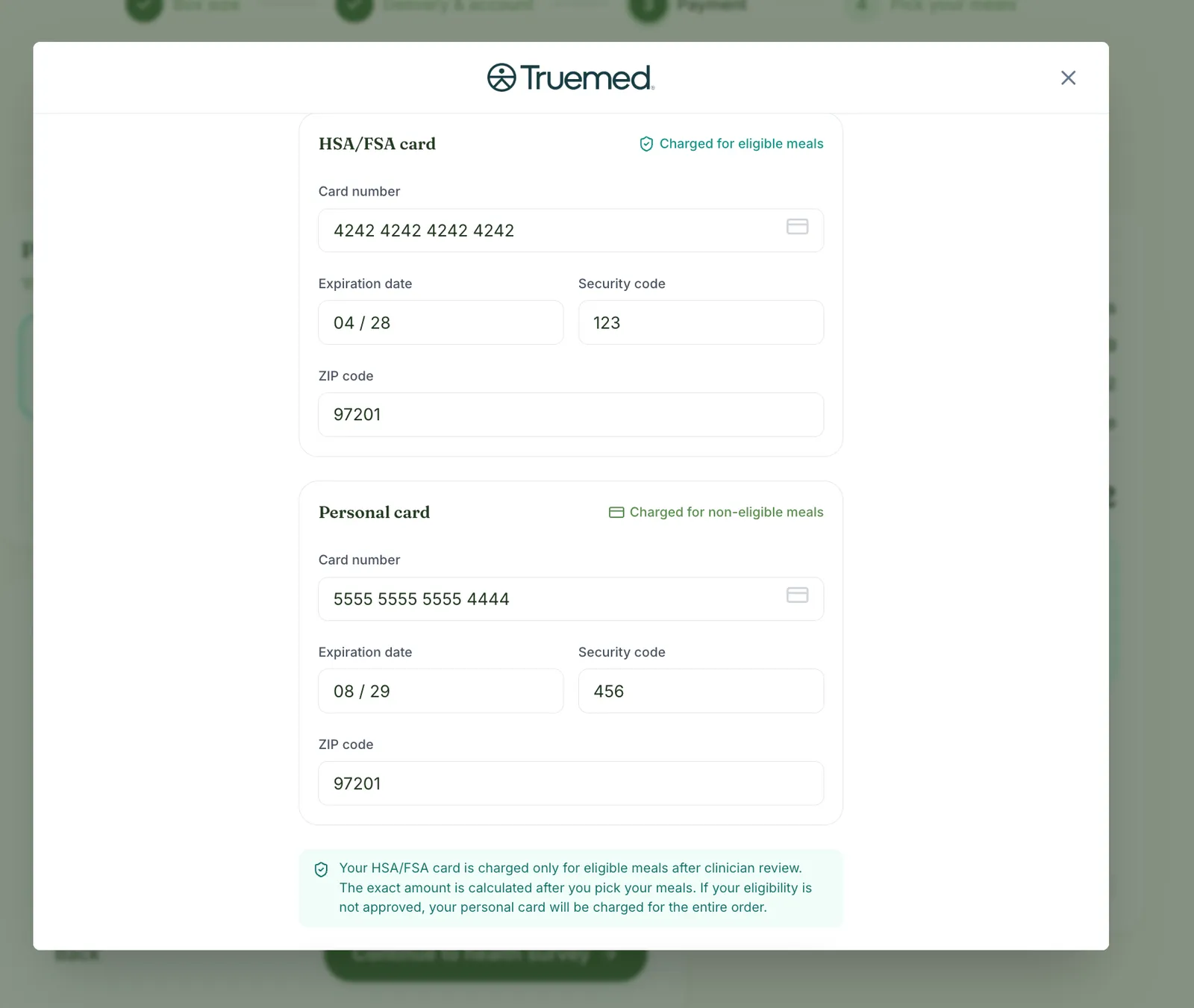
Truemed-hosted
What the customer does
The customer enters an HSA/FSA card and a personal card. Meals are only partially eligible, so the personal card pays the rest (how the split works). If eligibility isn’t approved, the whole charge goes to the personal card. You can also opt in to auto-retry, so a short HSA/FSA balance moves to the personal card instead of failing the order.
Behind the scenes
Truemed stores both cards. Full card numbers never touch your servers; the payment token carries only the last four digits and expiry of each card, for display. When the customer finishes, Truemed tells your page and closes the survey.
6. Submit payment
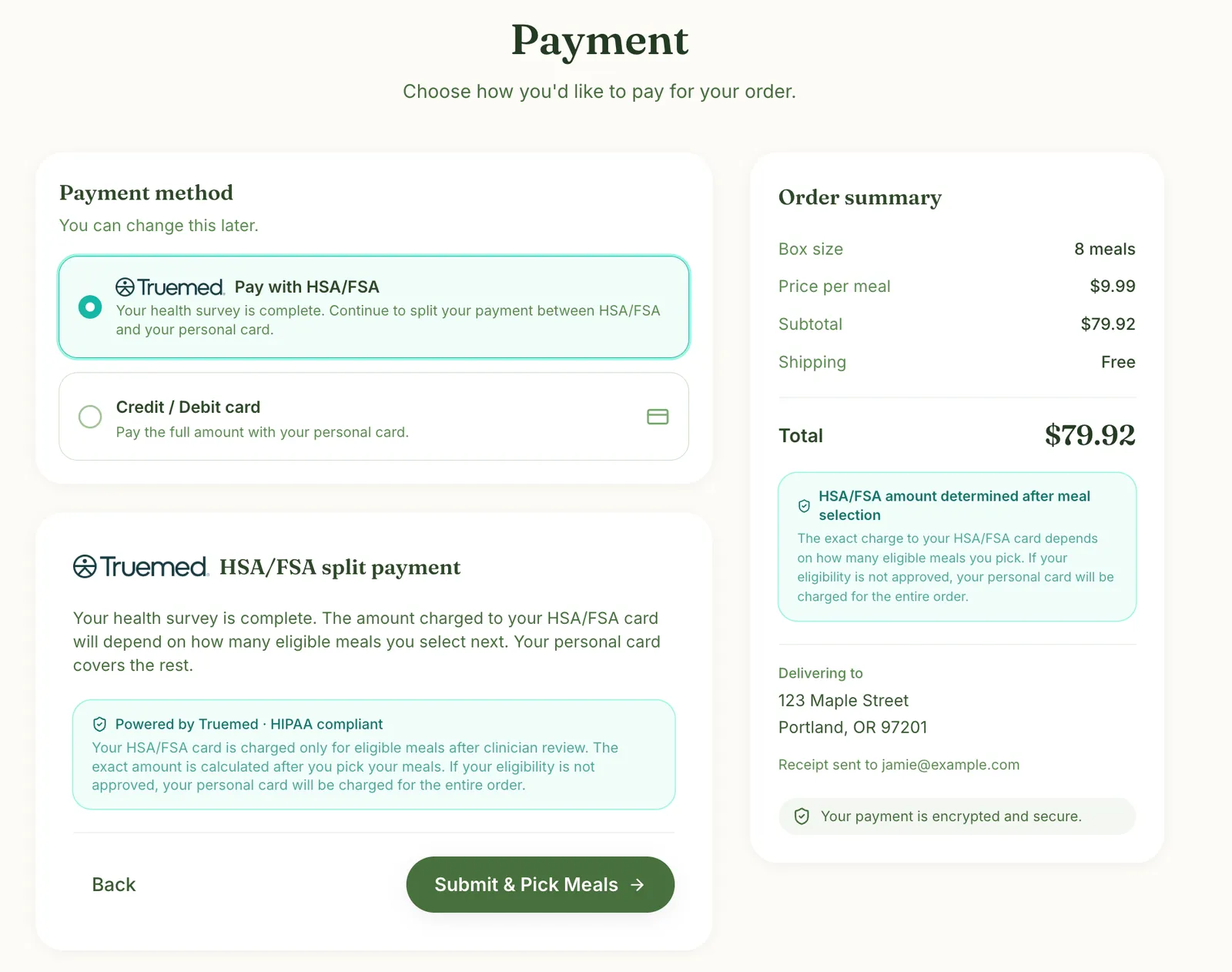
Your page
What the customer does
Back on your payment page, the customer submits.
Behind the scenes
Submitting starts the practitioner review in the background. The customer doesn’t wait on it and goes straight to picking meals.
7. Pick meals with eligibility badges
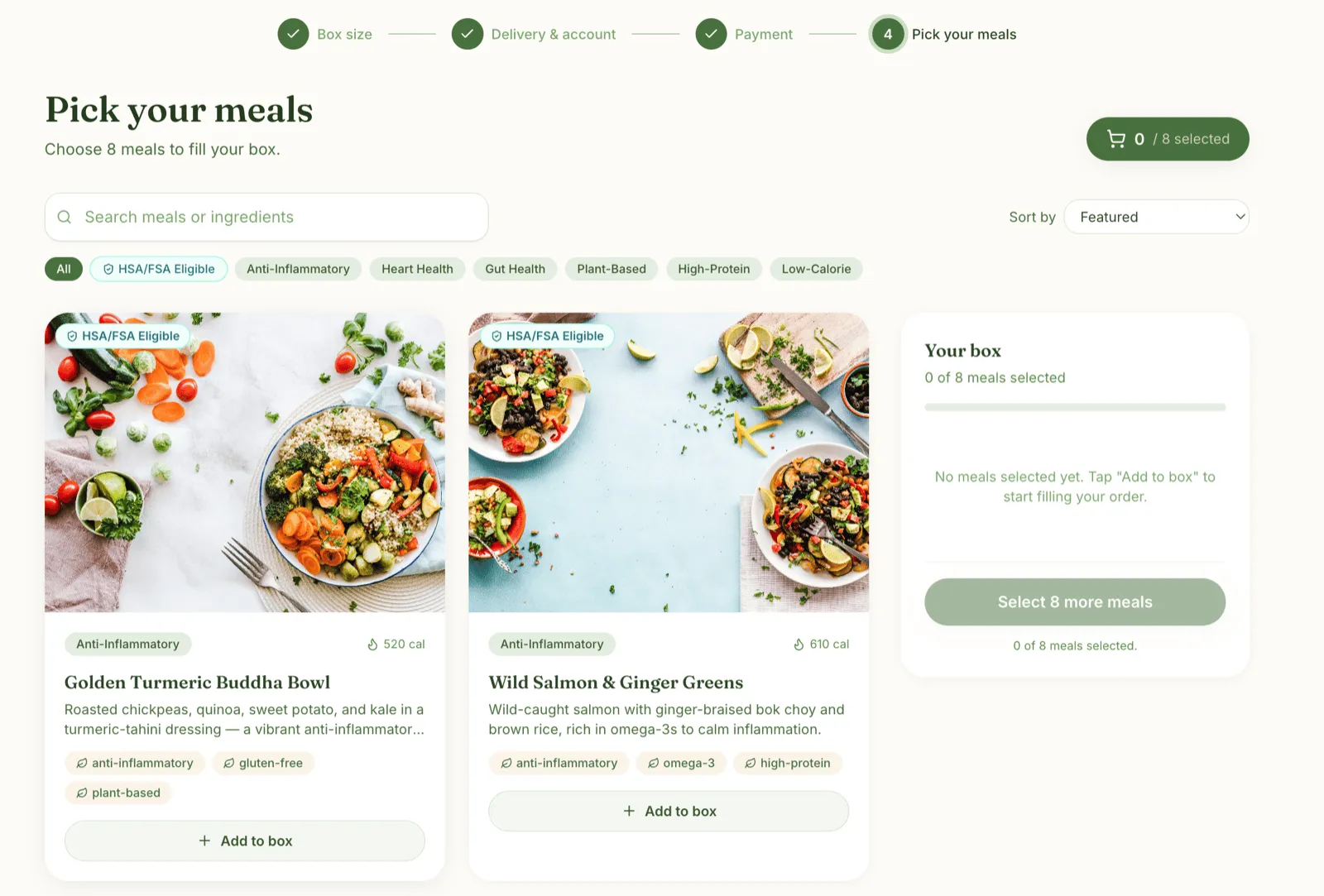
Your page
What the customer does
The customer fills their box. Meals that fit their needs carry an HSA/FSA Eligible badge.
Behind the scenes
You badge meals using the list Truemed returned from the survey. Meanwhile, an independent licensed practitioner reviews the case in the background, and the decision can arrive before the customer finishes picking. Once Truemed sends a valid payment token, you charge the first order and Truemed splits it across the two cards. Later orders reuse that token, so there is nothing to wait for.
Key rules to know
Most of these rules come back to the payment token: Truemed’s link between one of your customers and their Truemed account. It holds the customer’s HSA/FSA eligibility and their two cards on file, and you charge every order against it. See Token lifecycle for the states a token moves through.
Every meal is split by a fixed comparable amount
HSA/FSA funds can pay for what a medically tailored meal costs over an ordinary one. So every meal has a comparable amount: the price of an equivalent everyday meal. That part always goes on the personal card, and the rest goes on the HSA/FSA card. It is a fixed dollar amount, not a percentage.
comparable_item_price_cents. See Reading the comparable amount.
Showing the payment breakdown
Truemed charges the split, but since Truemed does not own your order confirmation step, you show the eligible/ineligible breakdown there, if you want the customer to see it. To show an estimate at meal selection or confirmation, compute it on your side:
- Personal card: the comparable amount for each eligible meal, plus the full price of anything not eligible.
- HSA/FSA card: everything else.
Truemed settles the exact amounts at charge time and emails the customer an itemized receipt. The first order page works through a full box.
Why the first charge waits
The HSA/FSA side of a payment token is unlocked only after an independent licensed practitioner approves the customer’s Letter of Medical Necessity (LMN). No HSA/FSA amount may be charged, held, or promised to a customer before that approval, so the token cannot exist before the decision does. Holding the first order keeps that guarantee without making the customer wait on a screen or go through a second checkout. Later orders reuse the same token, so they charge without waiting.
If the practitioner declines, Truemed still sends a payment token, with no HSA/FSA coverage. You can still charge the held order in full to the personal card.
The rest of the rules
- Every order is a split. Because each meal has a comparable amount, there is no all-HSA/FSA order. That is why the customer always enters two cards.
- Truemed classifies your menu. Truemed’s dietitians review your meals to decide which may be HSA/FSA-eligible, separately from your API integration.
- An approval lasts 12 months. Before it expires, send the customer a fresh survey link to requalify and keep using HSA/FSA.
- A short HSA/FSA balance fails the charge by default. You can opt in to auto-retry on the personal card, which is already on file. See When HSA/FSA funds run out.
How this differs from standard Truemed checkout
In standard checkout the cart comes first. In MTM, qualification comes first and shapes what the customer can buy with HSA/FSA funds.
Where to go next
- The first order: the one order that waits on the practitioner’s decision.
- Subsequent orders: the weekly steady state, the backup card, and what to do when HSA/FSA funds run out.
- API calls: every call the integration makes.